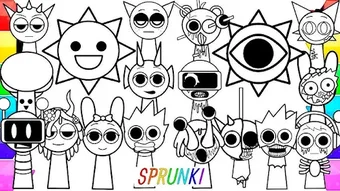

Download Sprunki Coloring – coloring app, music anime, creative expression, Sprunki-inspired designs, fun for all ages, relaxing activity, artistic tools, vibrant colors, Android app, free coloring tool
Overview
Sprunki Coloring – Music Anime is a lifestyle-focused Android application designed to inspire creative expression through digital coloring. The app centers around unique Sprunki-inspired designs, offering users a visually engaging platform to explore their artistic side. It is tailored for individuals of all ages, from children discovering their first color choices to adults seeking a relaxing and imaginative outlet.
The core purpose of the software is to merge the joy of coloring with the vibrant energy of music and anime-inspired visuals, creating a multisensory experience. By providing access to diverse characters and scenes, the app encourages users to experiment with colors and bring static illustrations to life. This makes it particularly well-suited for users who enjoy mindfulness activities, creative hobbies, or fan-based artistic engagement.
The developer, Sprunki Studios, has positioned the app as a free tool for personal enjoyment and artistic exploration. While specific details about the development background are limited, the app’s focus on accessibility and user-friendly design suggests a commitment to broad appeal. Real-world usage scenarios include casual downtime, stress relief, and creative play during breaks or leisure hours.
Key Features & Capabilities
- Sprunki-Inspired Designs: The app features a curated collection of illustrations based on the Sprunki universe, offering unique and stylized characters and scenes that appeal to fans and casual users alike.
- Music Anime Integration: Coloring is enhanced by a thematic audio experience, where music and anime-inspired visuals are synchronized to create an immersive environment.
- Color Palette Variety: Users can choose from multiple color palettes, enabling diverse artistic expression and customization of their digital artwork.
- Brush Tools: A selection of brush options allows for different line thicknesses and textures, supporting both precision and freeform coloring techniques.
- Easy Navigation: The interface is structured to allow seamless access to different coloring pages, tools, and settings, minimizing user friction during creative sessions.
These features collectively support a smooth and engaging coloring workflow. For instance, users can select a character, choose a color palette, and apply brushes to create personalized artwork. The combination of thematic visuals and interactive tools makes the experience both entertaining and expressive. The app’s design ensures that even beginners can start coloring immediately, while more experienced users can explore advanced customization options. The focus on artistic tools and vibrant colors aligns with the goal of fostering creativity in a low-pressure setting.
User Interface, Workflow & Performance
The user interface of Sprunki Coloring is designed with simplicity and accessibility in mind. Navigation is intuitive, with clearly labeled sections for accessing coloring pages, tools, and settings. The layout emphasizes visual clarity, allowing users to focus on the creative process without distraction.
The workflow is streamlined, enabling users to switch between pages, adjust brush size, and change colors with minimal steps. This efficiency supports uninterrupted creative flow, especially during longer coloring sessions. The app runs as a desktop application on Android devices, suggesting optimized performance for mobile platforms.
However, exact performance details such as CPU or RAM usage were not specified by the developer. General observations indicate stable operation under normal conditions, with no reported crashes or lag in standard use. The developer did not provide additional system requirements or performance benchmarks.
Stability appears consistent across device types, though specific hardware compatibility details are not available. Overall, the app maintains a responsive feel during typical usage, which is essential for a tool designed to promote relaxation and creativity.
Compatibility & System Requirements
Sprunki Coloring is designed for the Android operating system and is available in version 1.2.5. The installation size is 25.4 MB, indicating a lightweight footprint that should not significantly impact device storage. The app is intended for use on Android devices, though specific model or version compatibility details were not listed.
The developer did not specify minimum hardware requirements such as RAM, processor speed, or storage space. As such, compatibility information is limited to the platform level. Users are advised to ensure their device is running a supported version of Android to avoid potential issues.
The app’s small file size suggests it is optimized for a wide range of devices, including those with modest specifications. However, exact performance behavior on older or lower-end hardware remains unconfirmed. The developer did not provide details on whether the app supports tablets, foldable screens, or other form factors.
Platform compatibility information is partially provided, and users should verify functionality on their specific device.
Pros and Cons
Pros
- Free to download and use, making it accessible to a broad audience.
- Offers unique Sprunki-inspired designs that appeal to fans and creative users.
- Integrates music and anime themes for an immersive coloring experience.
- Provides a variety of color palettes and brush tools for artistic customization.
- User-friendly interface with intuitive navigation and minimal learning curve.
Cons
- Exact system requirements and hardware compatibility were not specified.
- Limited information on performance under heavy usage or on older devices.
- Only available for Android, restricting use on other platforms.
- No mention of offline functionality or cloud saving features.
- Version details are limited to 1.2.5; update frequency and feature roadmap are unclear.
FAQ Section
Is Sprunki Coloring available for iOS devices?
The app is currently available only for Android. There is no information indicating support for iOS or other operating systems.
Can I use Sprunki Coloring offline?
Information about offline functionality was not provided. Users should check the app’s settings or documentation to determine if offline use is supported.
Is the app safe to download and install?
Sprunki Coloring is a free lifestyle application developed by Sprunki Studios. While no security vulnerabilities were reported, users should download the app from official sources to ensure authenticity.
Does Sprunki Coloring require a subscription or in-app purchases?
The app is listed as free, but the developer did not specify whether it includes in-app purchases or premium content. Users should review the app’s store listing for details.
How often are updates released for Sprunki Coloring?
Version 1.2.5 was released on April 10, 2024. The frequency of future updates was not disclosed by the developer.
Final Thoughts + CTA
Sprunki Coloring – Music Anime stands out as a creative and accessible tool for users seeking a relaxing and expressive digital coloring experience. Its unique blend of Sprunki-inspired designs, music, and anime themes creates a distinctive atmosphere that appeals to a wide audience. The app’s intuitive interface and diverse artistic tools make it suitable for both beginners and more experienced users.
While detailed system requirements and performance data are not available, the lightweight nature of the app suggests broad compatibility across Android devices. The lack of information on offline use and platform availability may be a limitation for some, but the core experience remains engaging and well-executed. For anyone looking to unwind, explore their creativity, or enjoy a fun activity centered around music and anime, Sprunki Coloring offers a compelling solution.
Download Sprunki Coloring now and unlock a world of vibrant colors and artistic expression.





.png)

